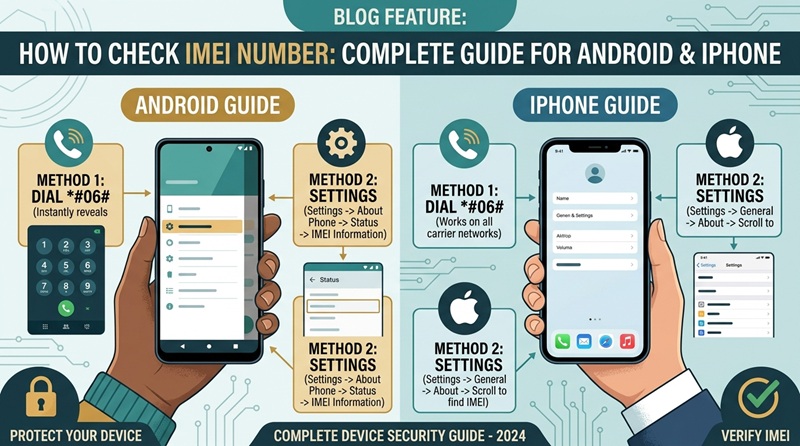
How to Check IMEI Number: Complete Guide for Android and iPhone
If you want to identify your mobile phone, check its device information, or prepare for a lost or stolen phone situation, knowing your IMEI number can be very useful.
IMEI stands for International Mobile Equipment Identity. It is a unique identifier associated with a cellular device. Most modern smartphones have an IMEI number, and dual-SIM phones may have two IMEI numbers. The good news is that checking an IMEI number is usually very easy. In most cases, you can find it in just a few seconds by dialing a simple code or checking your phone's settings.
In this complete guide, you'll learn how to check an IMEI number on Android and iPhone, how to find it when you cannot access your phone, why IMEI numbers are important, and what you should know before sharing your IMEI.
What Is an IMEI Number?
IMEI means International Mobile Equipment Identity.It is generally a 15-digit identifier used to identify a mobile device on cellular networks. Unlike your phone number, which identifies your mobile service or SIM subscription, the IMEI identifies the device itself.
For example, a phone might have an IMEI that looks like:
123456789012345
This is only an example and is not a real device identifier.
The IMEI is associated with the phone's cellular hardware. Changing your SIM card generally does not change the